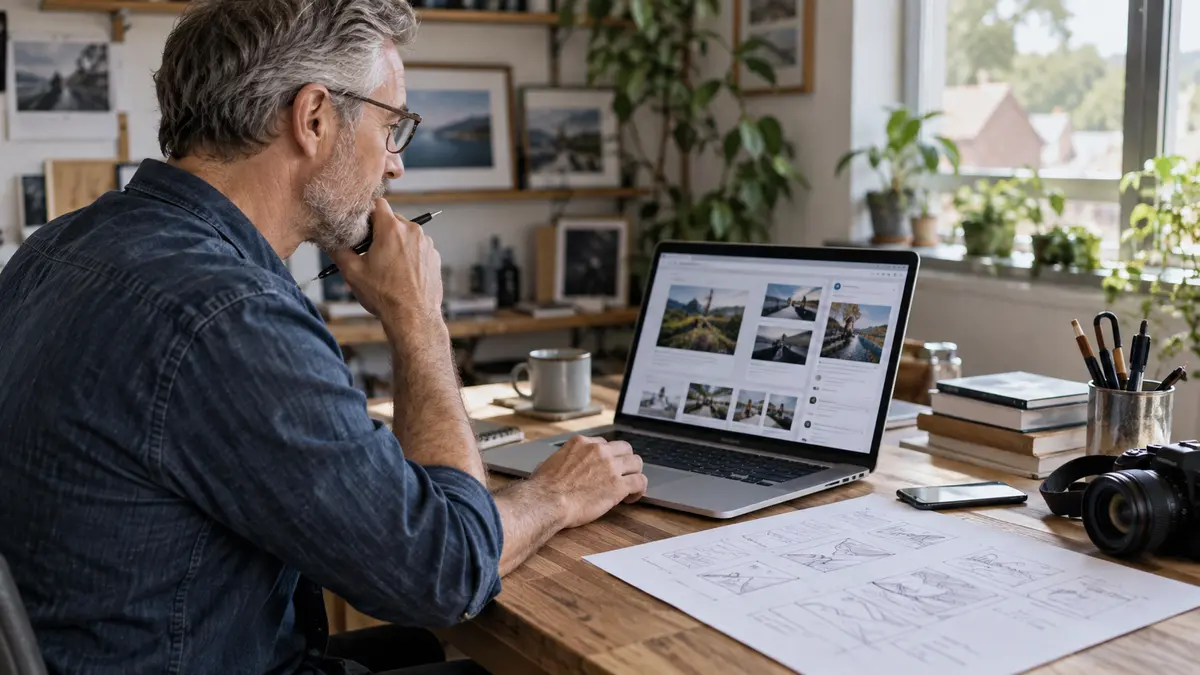
For many local businesses, the first thing a potential customer sees is not a full web page, a detailed service description, or a carefully written offer. It is often a small image. That image might appear in Google, on YouTube, on Facebook, in a blog preview, in a Google Business Profile post, or in a search result shared by an AI tool.
This is why thumbnails and simple promotional images matter. They help people decide whether to stop, click, read, watch, call, or move on. AI image tools can now help business owners create these visuals more quickly, but they need to be used carefully. A good image should make your business easier to understand, not make it look generic or exaggerated.
This article looks at how UK local businesses can use AI-assisted images and thumbnails in a practical way to support visibility, trust and better engagement online.
Why small images can make a big difference
Local customers often make quick decisions. They may be comparing several plumbers, accountants, clinics, cafés, estate agents, solicitors, tradespeople or consultants at once. If your image is unclear, dull or unrelated to the service, you may lose attention before your message has had a chance to work.
A strong thumbnail or promotional image does not need to be loud. It should usually do three things:
- Make the topic clear at a glance.
- Match the service or local problem being discussed.
- Feel trustworthy and relevant to the type of customer you want.
For example, a thumbnail for a video about boiler servicing should not look like a generic stock photo of a smiling engineer with no context. It might work better with a clear image of a heating engineer, a simple visual cue such as a boiler or radiator, and short wording that reflects the customer’s concern, such as annual servicing or no hot water.
The same principle applies to blog images, social posts and graphics used across local visibility campaigns. Clear beats clever most of the time.
Where local businesses can use AI-generated visuals
AI visuals are not just for YouTube thumbnails. They can be useful across several parts of your online presence, provided they are used honestly and consistently.
Common places include:
- Blog featured images for service advice articles.
- Video thumbnails for YouTube or website videos.
- Social media post graphics.
- Google Business Profile post images.
- Website section images where photography is not available.
- Simple diagrams explaining a process.
- Seasonal campaign visuals, such as winter checks or tax deadline reminders.
If you are working on AI and Local Visibility, images also help reinforce the topics your business wants to be associated with. Search engines and AI systems do not rely on images alone, but consistent visual and written content can support a clearer overall picture of what your business does.
That said, AI images should not replace real photos entirely. Real images of your team, premises, vehicles, completed work and local area are often stronger trust signals. AI is best used to fill gaps, explain ideas, or produce campaign visuals when original photography is not practical.
Start with the customer problem, not the tool
One of the biggest mistakes with AI image tools is starting with the technology rather than the message. The question should not be, What can this tool create? It should be, What does my customer need to understand quickly?
Before creating any visual, answer these points:
- Who is this image for?
- What problem are they trying to solve?
- What service or advice are we connecting it to?
- Where will the image appear?
- What action do we want someone to take next?
A dentist writing about emergency appointments needs a different image from one writing about routine check-ups. A local accountant promoting self assessment support needs a different image from one explaining business growth planning. A builder showing an extension project needs a different image from one explaining planning permission basics.
When the customer problem is clear, the image prompt becomes easier to write and the finished visual is more likely to be useful.
How to prompt AI tools for better local business images
A prompt is simply the instruction you give the AI tool. Vague prompts usually create vague results. Better prompts give clear direction without trying to control every tiny detail.
A useful structure is:
- Subject: What should appear in the image?
- Setting: Where should it feel located?
- Purpose: What is the image being used for?
- Style: Should it be realistic, clean, professional or illustrative?
- Restrictions: What should be avoided?
For example, a local roofing company might use a prompt such as: A realistic image for a UK roofing business blog post, showing a roofer inspecting roof tiles on a typical British semi-detached house, overcast daylight, professional and trustworthy style, no text, no exaggerated damage.
A local accountant might use: A clean professional image for a UK small business accounting article, showing a business owner reviewing invoices and tax paperwork at a desk, calm natural lighting, modern but realistic, no text, no logos, no unrealistic charts.
For thumbnails, you may want more contrast and a stronger focal point, but still avoid making the image look misleading. If you add text, keep it short. On small screens, five or six words can already feel like too much.
Keep your images consistent with your brand
AI tools can produce many styles very quickly. That can be helpful, but it can also make your business look inconsistent. One week your visuals may look corporate, the next cartoon-like, and the next like glossy magazine adverts. This weakens recognition.
It helps to set simple image guidelines for your business. These might include:
- Use realistic images where possible.
- Avoid exaggerated facial expressions or dramatic scenes.
- Use colours that sit comfortably with your website.
- Keep backgrounds clean and uncluttered.
- Use similar lighting and composition across blog images.
- Only use text overlays when they improve clarity.
This is especially important if you are improving your Google Business Profile. Images there should feel connected to your actual business. If every image looks artificially polished but your real-world photos tell a different story, customers may feel a disconnect.
A practical approach is to mix real photos with AI-supported graphics. Use real photos to prove who you are and what you do. Use AI visuals to explain topics, support articles and create campaign images where a real photo is not needed.
Avoid images that damage trust
AI-generated visuals can go wrong in subtle ways. Hands may look odd, tools may be incorrect, buildings may not look British, uniforms may seem unrealistic, and scenes may feel too perfect. These details matter because local customers are looking for signs that a business is genuine.
Before using any AI image, check it carefully. Ask:
- Does this look realistic for a UK business?
- Could this mislead someone about our team, premises or work?
- Are there strange details that make the image feel fake?
- Does it suit our type of customer?
- Would we be comfortable showing this next to our real business name?
It is also wise to avoid creating fake before-and-after results, fake customer scenes, or images that imply you have staff, vehicles, offices or facilities you do not have. Visibility is valuable, but trust is more valuable. Good marketing should help people understand your business, not create a false impression.
Use thumbnails to support clicks, not chase attention at any cost
A thumbnail has one main job: to help the right person decide to click. It should not promise something your page, post or video does not deliver.
For local businesses, this matters because you are not usually trying to attract the whole internet. You are trying to attract suitable local customers. A sensational image might win more casual clicks, but it can also bring the wrong audience and reduce trust.
A good local business thumbnail might include:
- A clear service-related visual.
- A simple expression of the customer problem.
- Strong contrast so it is readable on mobile.
- One main idea, not several competing messages.
- A style that matches your brand and website.
If you publish videos, blogs or advice content regularly, create a repeatable format. This makes production quicker and helps people recognise your content over time. This is part of building Visibility and Authority, because repeated clear signals help customers understand what your business is known for.
This article is based on the ideas discussed in the embedded video, with added UK local business context and practical guidance for business owners.
Practical workflow for a local business
You do not need a complicated design system to start using AI visuals well. A simple workflow is enough.
- Choose the content: Decide whether the image is for a blog, video, social post or Google update.
- Define the message: Write one sentence explaining what the customer should understand.
- Create the prompt: Include subject, setting, purpose, style and restrictions.
- Generate several options: Do not accept the first result automatically.
- Check for trust issues: Look for unrealistic details or anything misleading.
- Edit for clarity: Crop, resize, adjust contrast and add short text only if useful.
- Use sensible file names and alt text: Describe the image naturally and accurately.
This process can be repeated for most local content. Over time, you will learn what types of prompts and visual styles work best for your business.
Think beyond the image itself
An image can improve presentation, but it cannot carry weak content. If the page behind the thumbnail is thin, unclear or not useful, the click will not help much. The image should work with the headline, page title, service information and call to action.
For a blog article, make sure the featured image reflects the actual topic. For a video, make sure the thumbnail matches what the viewer will learn. For a Google post, make sure the image and wording point to a clear next step, such as booking, calling, reading more or requesting advice.
This is also where local detail helps. A business serving Cardiff, Swansea, Newport, Bristol, Manchester or any other local area should consider whether its visuals feel relevant to the area and audience. You do not need to force local landmarks into every image, but your content should not feel like it could belong to any business anywhere.
When to get help
Some business owners enjoy creating images and testing prompts. Others find it time-consuming or uncertain. If your online visibility depends on regular content, it may be worth getting help with the strategy, not just the design.
The important questions are not only about which AI tool to use. They are about what your business should be known for, which services need more visibility, what customers need to understand, and how your website, Google presence and content fit together.
If you want practical support with local visibility, content planning or how AI can fit into your marketing without making it feel artificial, you can Contact Barrie Evans Marketing.
Final thoughts
AI image tools can be genuinely useful for local businesses. They can speed up content creation, improve presentation and help make advice, offers and videos more appealing. But the best results come when the images are guided by clear thinking.
Start with the customer. Be honest about what the image represents. Keep the style consistent. Use AI to support trust, not replace it. A good thumbnail or visual should make your business easier to choose for the right reasons.
Useful Related Pages
Related Articles
Choosing the Right AI Tool for Local Business Visibility
AI tools can help local businesses save time, improve content and support visibility, but the tool matters less than how you use it. Here is a practical way to choose the right AI assistant for your business.
How Local Businesses Can Be Found by Ready-to-Buy Customers in AI Search
AI search is changing how people choose local businesses. This practical guide explains how UK business owners can improve visibility for customers who are ready to call, book or visit.